Thanks for your great service. SocketXP IoT Remote Access Solution works like a charm.
Tobias
freshtaste.de
Call OpenAI, Anthropic, and Google through a single endpoint, and reach your own Ollama or vLLM server the same way, without ever putting it on the public internet.
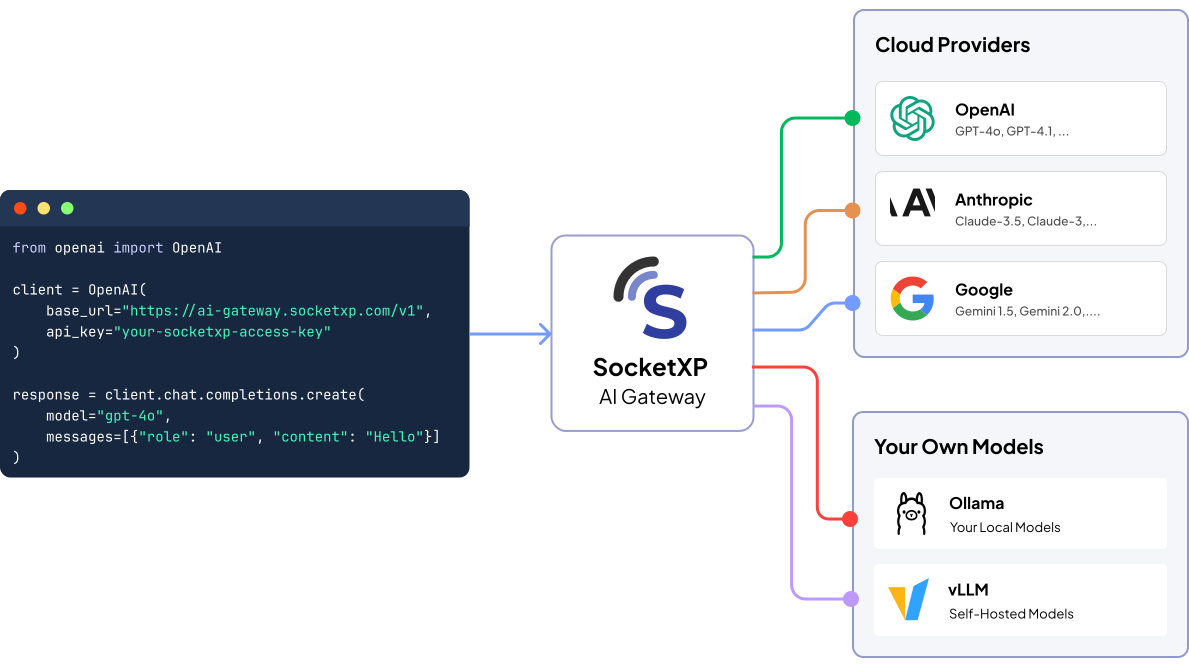







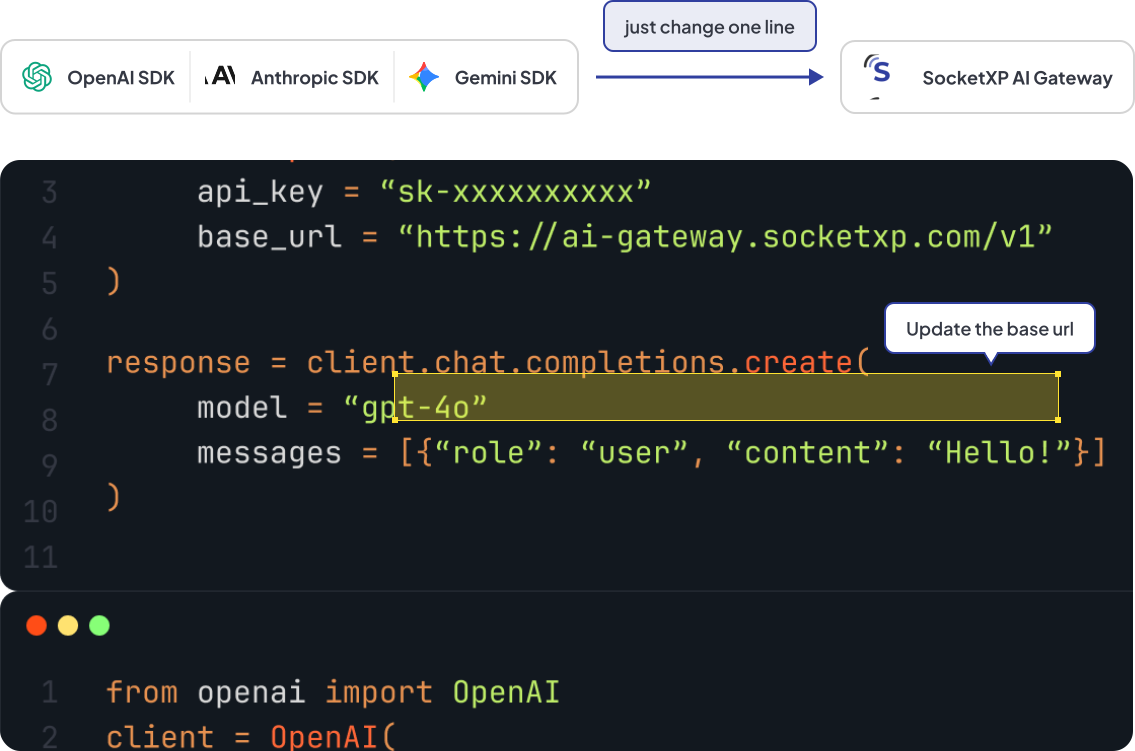
Point your existing OpenAI SDK, Anthropic SDK, or any OpenAI-compatible client at SocketXP. Swap the base URL and the key. That's the whole migration, no rewrites and no new SDK to learn.
Run Ollama, vLLM, or LM Studio on your own hardware and connect it to the gateway through a private SocketXP tunnel. No open ports, no VPN setup, and your server is never exposed on the internet just to call it from your app.
See how it works with Ollama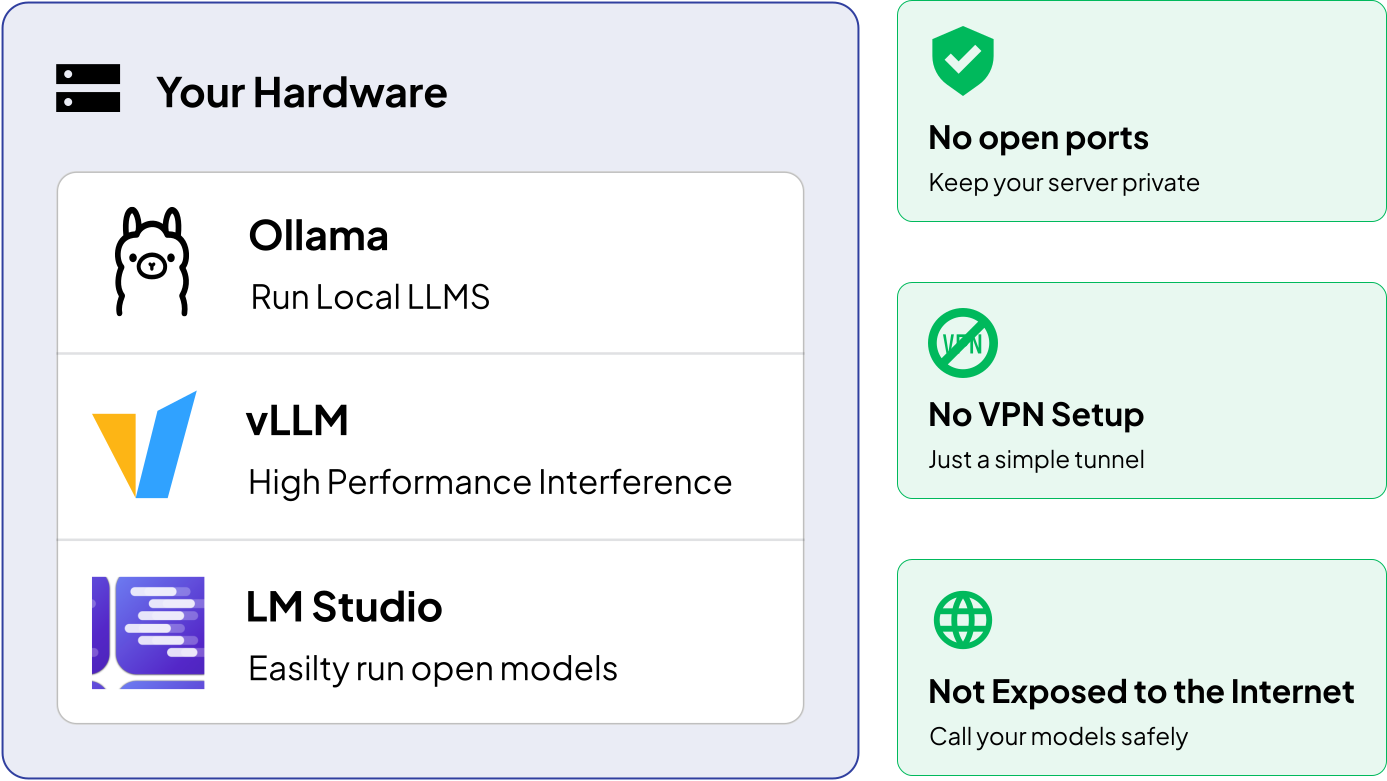
Add your OpenAI, Anthropic, or Google keys once. They're encrypted at rest and never handed to your client apps. Keep your existing rates and billing with each provider, unchanged.
Learn about BYOK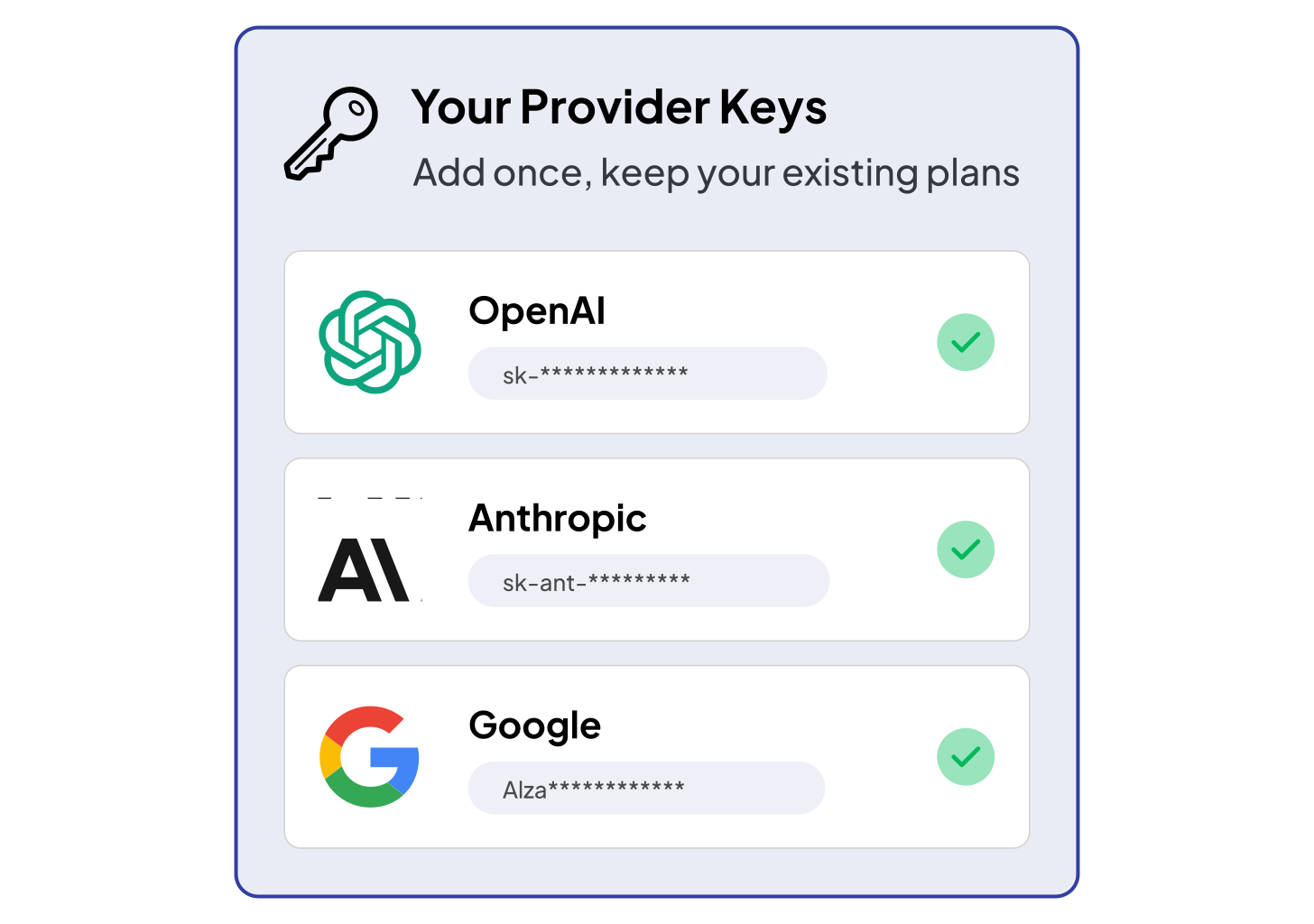
Issue a separate Access Key for every app or teammate, then set which providers and models it's allowed to use. No more sharing one key that opens access to everything.
See how scoped keys work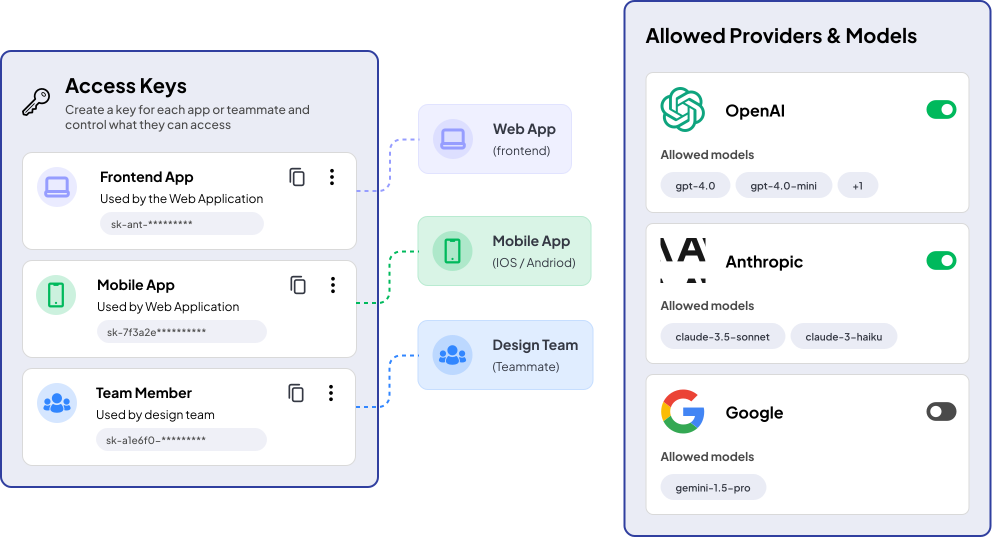
Everything you need to route, secure, and audit calls to every provider you use.
OpenAI, Anthropic, Google, and your own models, all through one API.
Self-hosted models stay off the public internet, reachable only through the gateway.

Control exactly what each key can reach with a Policy.

Your provider keys, encrypted at rest, never exposed to client apps.

Works with the OpenAI SDK and plain HTTP out of the box.

Every request logged with model, provider, and policy in Event Logs.
SocketXP's AI Gateway runs on the same zero-trust, outbound-only tunnel infrastructure that already keeps thousands of IoT and Linux fleets off the public internet, without a VPN. Your self-hosted models get the same protection.

Teams worldwide

Devices connected

Activity events/week

Open inbound ports
Most AI gateways are built for hosted providers first. Self-hosted models are an afterthought, if they're supported at all. SocketXP is built on tunnel infrastructure, so a model on your own hardware is just as easy to reach as OpenAI.
| Capability | SocketXP AI Gateway | Typical hosted gateway |
|---|---|---|
| OpenAI, Anthropic, Google | Yes | Yes |
| Self-hosted Ollama or vLLM | Native, via private tunnel | Public IP or workaround needed |
| Open inbound ports required | No | Often yes |
| Bring your own keys (BYOK) | Yes | Varies |
| Scoped access keys and policies | Yes | Varies |
| Built on proven tunnel infrastructure | 7K+ teams, since 2018 | N/A |
Find quick answers to the most common questions about this topic.
An AI Gateway is a single, unified endpoint or control plane that sits between your applications and the AI providers you use, whether that's a hosted service like OpenAI, Anthropic, or Google, or a model you run yourself. Instead of every client integrating each provider's SDK, base URL, and API key directly, they all talk to one gateway using one wire format and one credential, and the gateway takes care of routing each request to the right provider behind the scenes.
This matters because the providers and models a team relies on rarely stay fixed — pricing changes, better models ship, and some workloads are better served by a self-hosted model for cost, privacy, or latency reasons. An AI Gateway is what lets you make that switch, or add a new provider, without touching client code, while giving you one place to manage access, credentials, and usage across all of them.
No. Let's say your model runs on a laptop, a GPU machine at home, or a server inside your office network. Normally, to reach it from outside, you would need to set up a VPN connection, or configure port forwarding in your WiFi router, change firewall rules, or buy a Public IP. With SocketXP you don't need any of that.
You install the SocketXP agent on the machine where your model runs. It works with Ollama, vLLM, or any server that supports the OpenAI API format. The agent opens an outgoing connection to SocketXP AI Gateway, and you can access your model from anywhere through the gateway. No port is opened on your network, no complex VPN setup required and you don't have to change your router or firewall settings.
Yes. Add your OpenAI or Anthropic keys once in the BYOK section of the dashboard. They are stored in encrypted form.
After that, your apps never see these keys. They use one SocketXP Access Key instead, and the gateway uses your provider keys in the background. This means you don't have to paste provider keys into your app code, config files, or every service that calls a model.
Yes. If your code already uses the OpenAI SDK, or any client that works with the OpenAI API format, you only need to change two things: the base URL, which now points to the SocketXP AI gateway, and the API key, which is now your Access Key. The rest of your code stays the same, so there is nothing to rewrite.
Yes. The AI Gateway is built by the same SocketXP team that makes the IoT and Linux device management platform. It uses the same SSL/TLS encrypted reverse tunnel technology that more than 7,000 teams already use to manage their IoT and Linux devices remotely without a VPN.
Hear from our satisfied customers about how SocketXP has transformed their IoT workflows with seamless connectivity, robust security, and unmatched reliability.