
Deploying an updated AI model to a fleet of edge devices is one of the most common challenges in production edge AI operations. Whether you have trained a more accurate object detection model, quantized a model for better inference speed, or updated an LLM’s GGUF weights, you need to push that new model file to potentially hundreds or thousands of deployed devices—NVIDIA Jetson Orin boards, Raspberry Pi units, and other embedded Linux machines—without physical access.
This guide explains how to use SocketXP’s Over-the-Air (OTA) update feature to deploy AI model files to edge devices securely and at scale.
The Challenge: Updating AI Models on Deployed Edge Devices
After training or fine-tuning a model on your development machine or cloud GPU, you need to deploy the updated model file to edge devices that are:
- Behind NAT routers and firewalls with no public IP.
- Spread across multiple geographic locations.
- Running production inference workloads that should not be interrupted longer than necessary.
- Potentially in areas with intermittent connectivity.
Manually SSHing into each device, transferring the file, and restarting the service does not scale. You need an automated, reliable, over-the-air update pipeline.
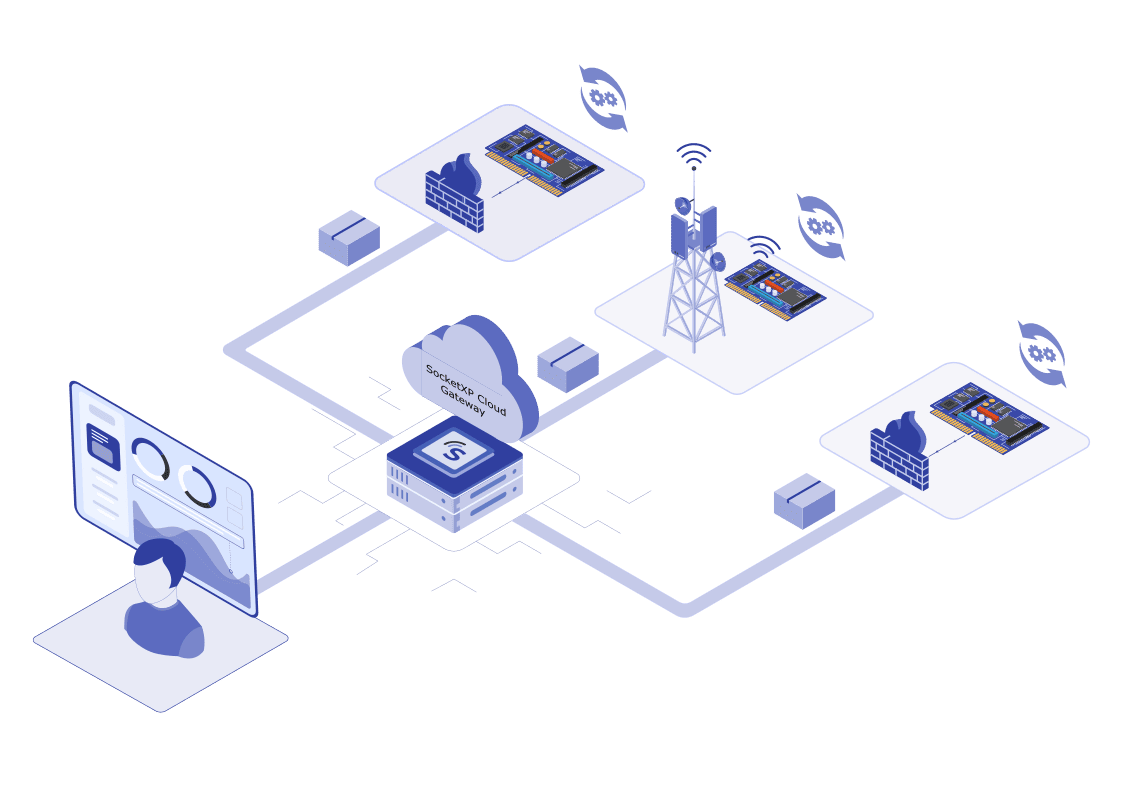
SocketXP’s OTA update provides exactly this: upload the model file and a deployment script to the SocketXP portal, define the target device group, and let SocketXP handle delivery, execution, and reporting—across your entire fleet simultaneously.
How SocketXP OTA Model Update Works
SocketXP OTA model deployment follows the same two-step pattern as any OTA update:
- Upload: Create an artifact in the SocketXP portal—your model file and a shell script that installs it.
- Deploy: Target a device group. SocketXP delivers the artifact over the encrypted agent tunnel to each device, executes the install script, runs your health check, and reports status per device.
The key advantages for AI model deployments:
- No SSH required: The OTA update pipeline runs entirely through the SocketXP agent tunnel.
- Automatic rollback: Build a post-update health check into your script — if it fails, the device automatically rolls back to the previous version.
- Staged rollout: Deploy to a pilot group first, then expand.
- Fleet-scale: Deploy to thousands of devices simultaneously.
Step-by-Step: OTA Update an AI Model on Edge Devices
Prerequisites
Your edge devices (Jetson Orin, Raspberry Pi, embedded Linux) must already have the SocketXP agent installed and grouped. See the SocketXP Getting Started guide for setup instructions.
Step 1: Prepare the Model File and Deployment Script
Create a shell script that your deployment will execute on each device. The script should:
- Stop the running inference service.
- Back up the current model (optional, for manual recovery).
- Copy the new model file into place.
- Restart the inference service.
- Run a basic health check to confirm the service started successfully.
Example: Deploy a PyTorch model to a Jetson Orin running a systemd inference service
#!/bin/bash
# deploy_model.sh - deploys updated model.pt to the inference service

MODEL_PATH="/opt/myapp/models/model.pt"
NEW_MODEL="model_v2.pt"  # delivered by SocketXP OTA into the working dir

echo "Stopping inference service..."
sudo systemctl stop inference.service

echo "Backing up current model..."
cp "$MODEL_PATH" "${MODEL_PATH}.bak"

echo "Deploying new model..."
cp "$NEW_MODEL" "$MODEL_PATH"

echo "Starting inference service..."
sudo systemctl start inference.service

# Health check: verify service came up
sleep 5
if systemctl is-active --quiet inference.service; then
    echo "Deployment successful."
    exit 0
else
    echo "Health check failed. Rolling back..."
    cp "${MODEL_PATH}.bak" "$MODEL_PATH"
    sudo systemctl start inference.service
    exit 1
fi
Example: Deploy a TensorFlow Lite model to a Raspberry Pi
#!/bin/bash
# deploy_tflite.sh

MODEL_PATH="/opt/inference/model.tflite"
NEW_MODEL="model_v2.tflite"

sudo systemctl stop tflite-server.service
cp "$NEW_MODEL" "$MODEL_PATH"
sudo systemctl start tflite-server.service

sleep 3
if systemctl is-active --quiet tflite-server.service; then
    echo "TFLite model deployed successfully."
    exit 0
else
    echo "Service failed to start."
    exit 1
fi
Example: Update a GGUF model for a llama.cpp inference server
#!/bin/bash
# deploy_gguf.sh

MODEL_DIR="/opt/llm/models"
NEW_MODEL="llama3-q4_k_m.gguf"

sudo systemctl stop llamacpp.service
cp "$NEW_MODEL" "$MODEL_DIR/"

# Update the service config to point to the new model
sed -i "s|--model .*|--model $MODEL_DIR/$NEW_MODEL|" /etc/systemd/system/llamacpp.service
sudo systemctl daemon-reload
sudo systemctl start llamacpp.service

sleep 5
if systemctl is-active --quiet llamacpp.service; then
    echo "GGUF model deployed."
    exit 0
else
    exit 1
fi
Step 2: Upload the Artifact to SocketXP
In the SocketXP portal:
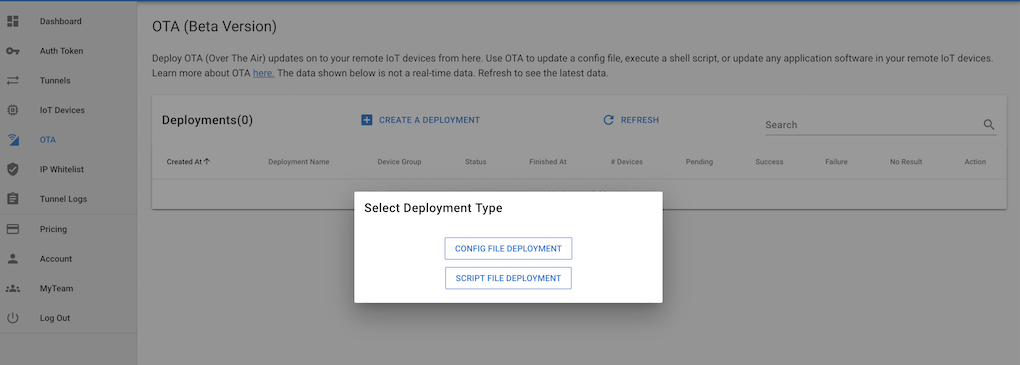
- Navigate to OTA Updates → Artifacts.
- Create a new artifact.
- Upload your model file (e.g.,
model_v2.pt) and your deployment shell script. - Save the artifact.
Step 3: Create a Deployment
In the SocketXP portal:
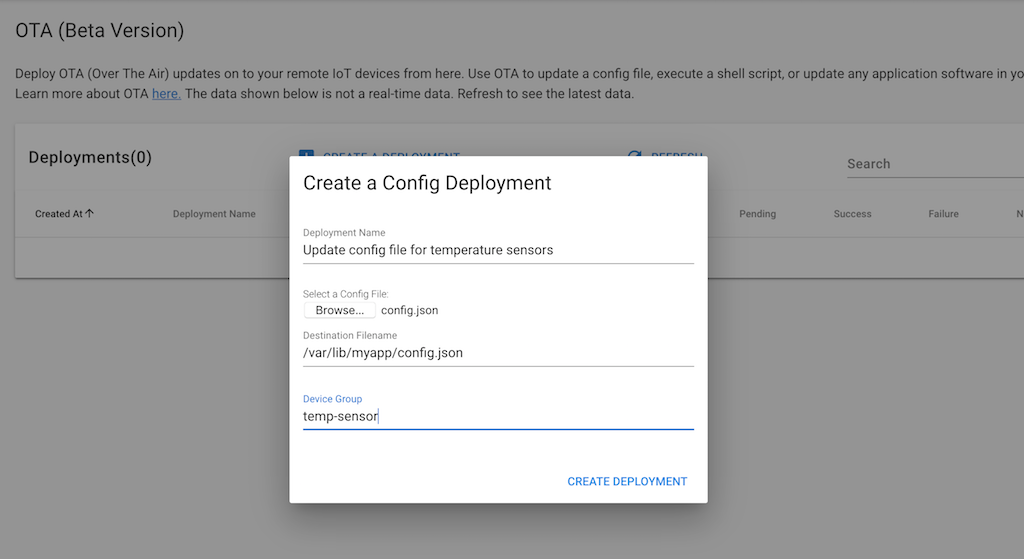
- Navigate to OTA Updates → Deployments.
- Select the artifact you just uploaded.
- Choose the target device group (e.g., “jetson-orin-production” or “raspberry-pi-vision-cameras”).
- Set a deployment schedule: deploy immediately or schedule for a maintenance window.
- Your deployment script’s health check and rollback logic (from Step 2) run automatically after installation on each device — there’s no separate rollback policy to configure here.
- Optionally set a staged rollout percentage (e.g., deploy to 10% of devices first).
Step 4: Monitor Deployment Status
SocketXP reports per-device deployment status in real time:
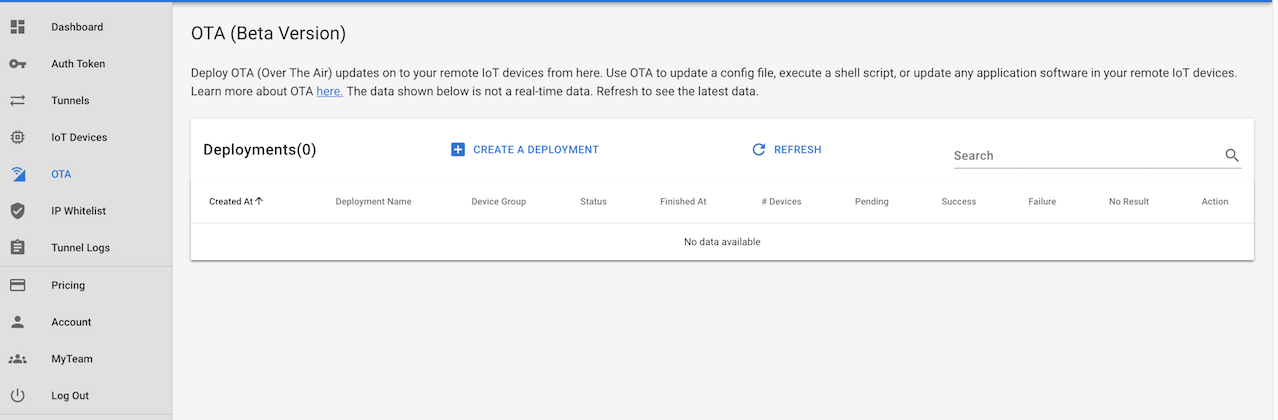
Each device shows one of: pending, downloading, installing, success, or failed. For any failure, you can inspect the installation log to see exactly what went wrong.
OTA Update for Docker-Based AI Inference Pipelines
If your inference application runs as a Docker container (common for complex pipelines using TensorRT, DeepStream, or multi-model architectures), SocketXP OTA supports container updates as well.
The workflow script pulls a new container image from your registry and restarts the container:
#!/bin/bash
# deploy_container.sh

IMAGE="myregistry.io/inference-app:v2.1"

echo "Pulling updated container image..."
docker pull "$IMAGE"

echo "Stopping current container..."
docker stop inference-container || true
docker rm inference-container || true

echo "Starting updated container..."
docker run -d \
    --name inference-container \
    --runtime nvidia \
    --gpus all \
    -v /opt/models:/models \
    "$IMAGE"

sleep 5
if docker ps | grep -q inference-container; then
    echo "Container deployed successfully."
    exit 0
else
    echo "Container failed to start."
    exit 1
fi
See the full guide on OTA Update for Docker Containers for more details.
Staged Rollout: Test Before Full Fleet Deployment
For production AI fleets, always test a new model on a small group before rolling out to all devices. SocketXP’s staged deployment lets you:
- Create a pilot group (5–10 devices).
- Deploy the new model to the pilot group.
- Monitor inference quality and service health for 24–48 hours.
- Expand the deployment to the full fleet once you are confident.
This significantly reduces the risk of pushing a bad model to thousands of devices simultaneously.
Supported Model Formats
SocketXP OTA delivers any file that can be installed via a shell script. Common AI model formats:
| Framework | Format | Extension |
|---|---|---|
| PyTorch | Model checkpoint | .pt, .pth |
| ONNX | Open Neural Network Exchange | .onnx |
| TensorFlow Lite | Quantized mobile model | .tflite |
| TensorRT | Optimized inference engine | .engine, .trt |
| llama.cpp | GGUF quantized LLM | .gguf |
| Hailo | Compiled HAR/HEF model | .hef |
| OpenVINO | IR format | .xml + .bin |
| Custom | Any binary or config file | any |
Conclusion
Keeping AI models up to date on a deployed edge fleet is a critical operational challenge. SocketXP’s OTA update feature gives you a reliable, auditable pipeline for pushing model files to any number of edge devices—NVIDIA Jetson Orin, Raspberry Pi, or any embedded Linux machine—without physical access, without manual SSH, and with automatic rollback if something goes wrong.
Upload your model and deployment script, define the target device group, and SocketXP handles delivery, execution, and status reporting across your entire fleet.
For more on SocketXP OTA updates, visit the SocketXP OTA Update page or the Getting Started guide.
Frequently Asked Questions
What AI model formats can be deployed via SocketXP OTA update?
SocketXP OTA can deliver any file that can be installed via a shell script on a Linux device. This includes PyTorch model files (.pt, .pth), ONNX models (.onnx), TensorFlow Lite models (.tflite), GGUF models for llama.cpp (.gguf), TensorRT engines (.engine, .trt), and any custom binary or configuration format your inference framework uses.
Can I update an AI model on a Jetson Orin without SSH access?
Yes. SocketXP OTA update is independent of SSH. You upload the model and deployment script to the SocketXP portal, define the target device group, and trigger the deployment. SocketXP delivers it over the encrypted agent tunnel and executes the script—no SSH session required.
How do I restart my inference service after the model is updated?
Include the restart command in your deployment shell script. For a systemd service, the script would call 'sudo systemctl restart inference.service'. SocketXP executes this script on the device after delivering the new model file.
Can I roll back to the previous model if the new one causes errors?
Yes. Add a health check to your deployment script (e.g., verify the inference service starts and returns a valid response). If the check fails, your script's rollback logic restores the previous version on that device. SocketXP executes this script on every device and reports the result, so one failing device does not affect others.
Can I do a staged rollout—test on 5 devices before deploying to 1,000?
Yes. SocketXP supports staged (canary) deployments. Target a small pilot group first, verify the deployment results and health checks, then expand to the full fleet. This limits the blast radius of a bad model update.
What happens if an edge device is offline when an OTA model update is triggered?
The update is queued. When the device reconnects and re-establishes its SocketXP tunnel, the platform automatically delivers the pending update. You can set an expiry window—if the device does not come online within the deadline, the update is cancelled and flagged.
Can I deploy a Docker container with an updated AI model?
Yes. SocketXP OTA can deploy Docker container updates. Your workflow script would pull the new container image from a registry, stop the running container, and start the updated one. The SocketXP agent delivers and executes the script on each device.
How do I update a TensorFlow Lite model on a Raspberry Pi without physical access?
Use SocketXP OTA update: package your new .tflite model file with a deployment shell script that stops the inference service, replaces the model file at its configured path, and restarts the service. Upload the package to the SocketXP portal, target your Raspberry Pi device group, and deploy. SocketXP delivers and executes the update on every Pi in the group—no physical access or SSH session required.
Can I automate AI model deployment using CI/CD pipelines with SocketXP?
Yes. SocketXP provides a REST API that you can call from CI/CD systems like GitHub Actions, GitLab CI, or Jenkins. After your training pipeline produces a new model artifact, a CI/CD step can trigger a SocketXP OTA deployment to your target device group automatically. This creates a fully automated path from model training to edge deployment.
How do I verify that a new AI model produces correct inference results after an OTA update?
Include a health-check step in your deployment script that sends a known test input to the inference service and checks the output. For example, submit a reference image and verify the confidence score or class label matches the expected value. If the check fails, your script's own rollback logic should restore the previous model — SocketXP reports the failure and rollback result to the dashboard.
How do I deploy an AI model to only devices in a specific geographic region or customer site?
Use SocketXP device groups to organize your fleet by region, customer, or site. Create a group containing only the target devices (e.g., 'europe-warehouse-cameras' or 'customer-acme-pi-fleet'), then target that specific group when creating the OTA deployment. Devices in other groups are not affected.
Can I schedule AI model updates for a maintenance window to avoid disrupting live inference?
Yes. SocketXP OTA lets you define a deployment schedule so the update is delivered and executed during off-peak hours or a planned maintenance window. This prevents the inference service from being briefly unavailable during business hours while the model file is being replaced and the service restarted.