Table of Content
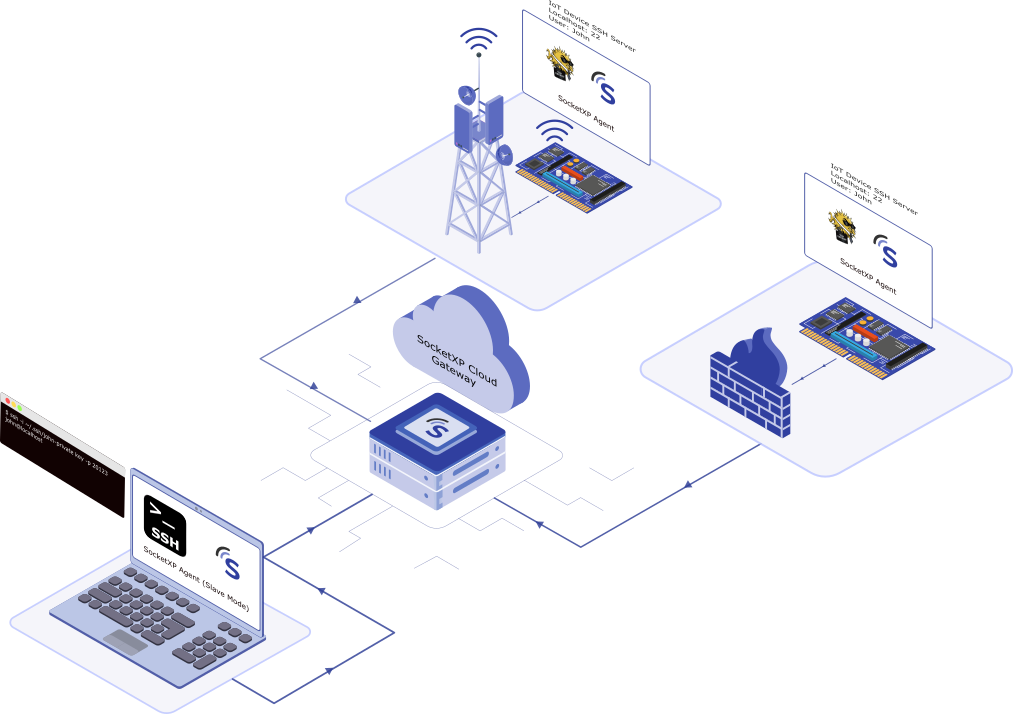
Table of Content
In this article, we’ll discuss how to securely remote access and manage your IoT devices or any embedded Linux devices connected to the internet via Starlink satellite network, 3G, 4G LTE or 5G cellular networks behind CGNAT, allowing you to remotely access your IoT devices from anywhere.
IoT is quickly becoming popular worldwide because of the unlimited workflow automation opportunities that come with it. However, if not managed properly, these IoT devices can become a liability and lead to customer dissatisfaction, resulting in lost revenue.
The biggest challenge for any IoT vendor is:
How to securely connect and manage IoT devices remotely over the satellite or cellular internet to login, debug, monitor, reboot, reconfigure and update it?
What are the different methods available to remotely access devices:
There are several ways to securely remote access IoT devices connected to satellite or cellular networks but the most common ones are:
- Secure Shell (SSH)
- Remote Desktop Protocol(RDP)
- Virtual Network Connection(VNC)
- Web Application
- Remote Command Execution
In this article, we’ll discuss how to configure and setup an IoT device for:
- Remote access IoT device GUI desktop using VNC over the satellite or cellular network
- Execute remote commands on IoT device over the satellite or cellular network
We will be using SocketXP IoT Remote Device Management Platform to remotely connect to IoT devices.
You can use SocketXP to remotely connect to any device or IoT connected to the internet via any network say, Starlink satellite network or 3G, 4G, 5G mobile cellular networks, or WiFi network, Mobile Hotspot etc., from another network (say, from an WiFi connected Laptop, mobile cellular phone, or a device connected to another Starlink satellite router.)
SocketXP is a versatile and universal remote access solution to remotely connect to any device connected to any type of network. SocketXP is a network agnostic solution. It works well over low-bandwidth and high-bandwidth network connections.
What is SocketXP
SocketXP is a cloud based secure remote access solution to access, manage and debug embedded Linux devices such as IoT device, Nvidia Jetson or any embedded Linux device over the internet. Usually these devices are located behind a NAT router or firewall or cellular network or satellite network, making it challenging to access them safely and securely. SocketXP creates a secure SSL/TLS connection over the internet through your satellite or cellular network to your IoT device behind CGNAT for secure remote access.
No configuration changes are required in your satellite or mobile cellular router to make the SocketXP solution work. Also, no public IP is required.
It simply works out of the box.
SocketXP creates SSL/TLS reverse proxy tunnels to securely connect to remote devices.
SocketXP does not use insecure methods such as port-forwarding techniques and Dynamic DNS(DDNS) which will expose your IoT device directly to the internet, permitting hackers and port scanners to access your devices.
SocketXP is an enterprise-grade IoT remote access and device management platform trusted by thousands of customers around the world today for secure remote access to their IoT device over the internet from outside network.
Let’s dive in and get started.
1. Remotely connect to IoT devices connected to Satellite or Cellular Network using SSH
Secure Shell (SSH) is a network protocol that provides a secure means to connect to a raspberry terminal over an unsecured network such as the internet.
SSH follows a client server model – the SSH server runs on the IoT and the SSH client runs on the user laptop or PC. SSH server listens on TCP port 22 by default.
OpenSSH provides an open source implementation of the SSH server and client software.
Note: Your IoT device comes installed with an SSH server software in it.
SSH client needs to know the IP address of the device in which the SSH server runs so that it can connect to it.
Because IoT devices installed behind a NAT router and firewall cannot be access from the internet, we’ll use SocketXP’s outbound tunnel to remotely connect to the IoT terminal using SSH over the internet.
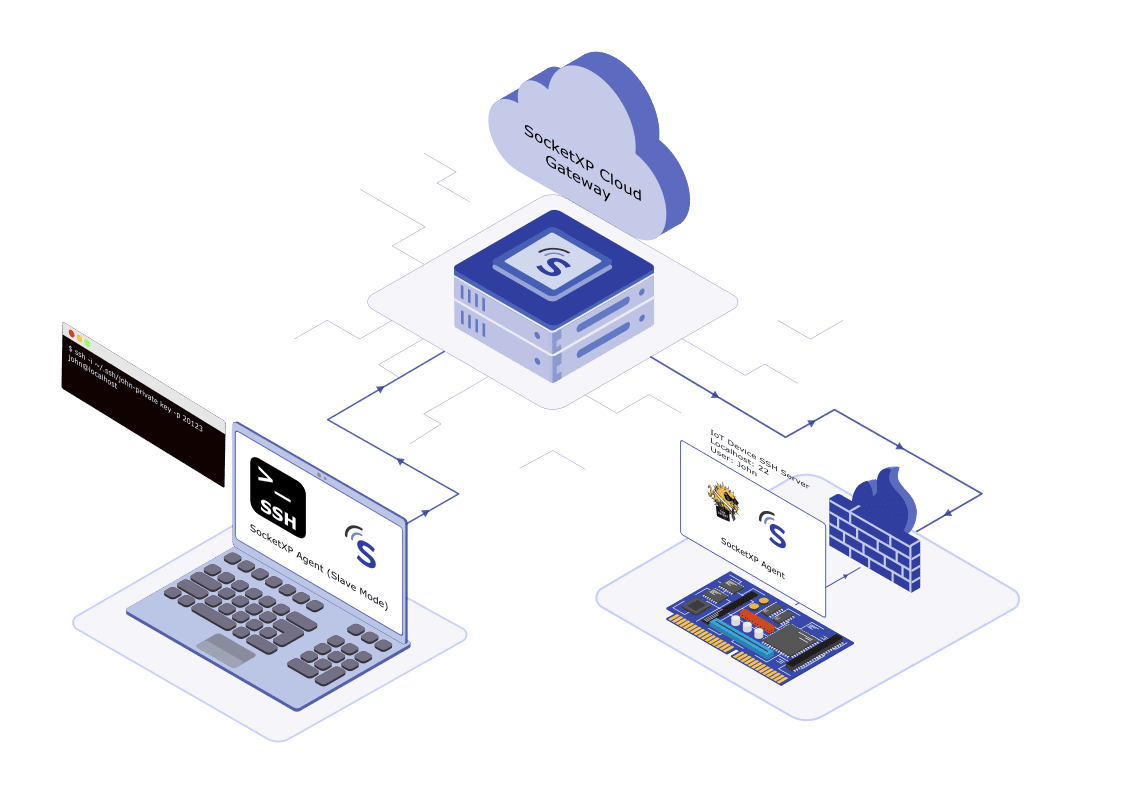
To learn more refer to: how to setup and configure your IoT for remote SSH access over the internet
2. Connect to IoT remotely over the Satellite or Cellular Internet using VNC
Virtual Network Connection(VNC) is a protocol for safely accessing the IoT Graphical User Interface(GUI) or desktop. VNC is typically used for remotely accessing the GUI of a Linux based platforms such as IoT.
VNC follows a client server model – the VNC server runs on the IoT and the VNC client runs on the user laptop or PC. VNC server listens on TCP port 5901 by default.
TightVNC is a open source based VNC software that can be installed on IoT for remote desktop access.
Because IoT devices installed behind a NAT router and firewall cannot be access from the internet, we’ll use SocketXP’s remote access platform to remotely connect to the IoT GUI desktop using VNC over the internet.
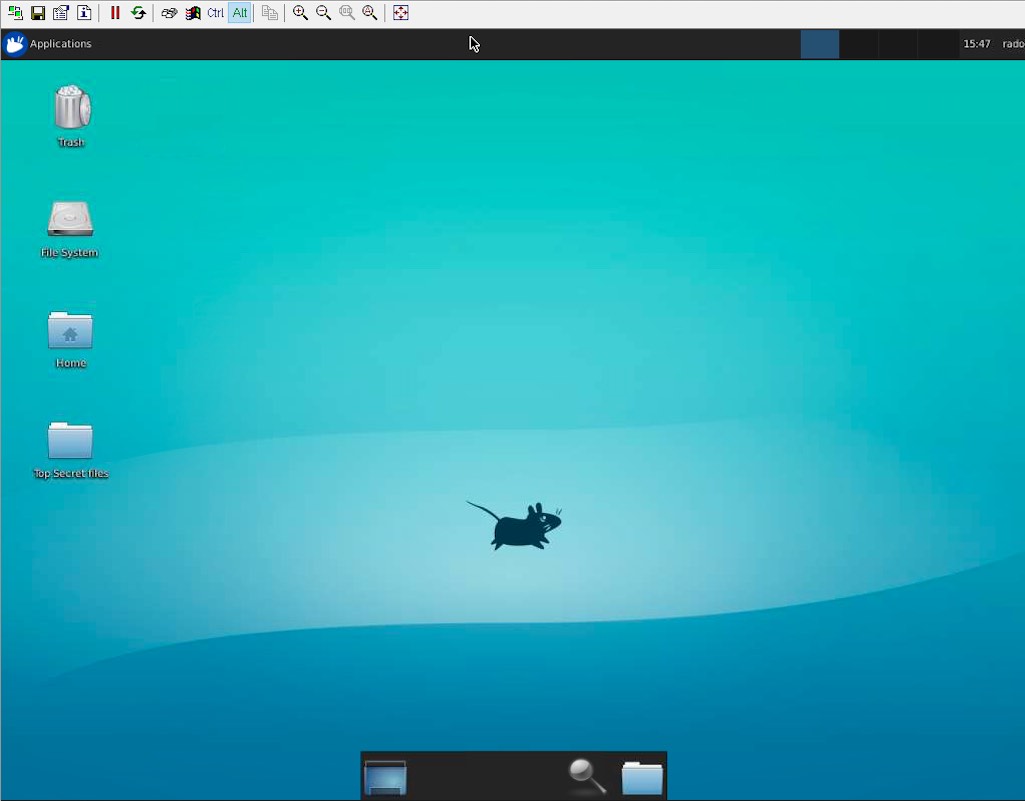
To learn more refer to: how to setup and configure your IoT for remote VNC access over the internet
3. Connect to IoT Remote Desktop(RDP) over the Satellite or Cellular Internet using xrdp
Remote Desktop Protocol(RDP) is a proprietary protocol invented by Microsoft for accessing the Windows desktop of one Windows machine from another Windows machine in a local network.
RDP follows a client server model – the RDP server runs on the IoT and the RDP client runs on the user laptop or PC. RDP server listens on TCP port 3389 by default.
Microsoft has opened up the RDP for third parties to implement the same. xrdp is a open source implementation of the Microsoft RDP. xrdp is typically used for remotely accessing the GUI desktop of a Linux based platforms such as IoT.
Because IoT devices installed behind a NAT router and firewall cannot be access from the internet, we’ll use SocketXP’s secure tunnel to remotely connect to the IoT GUI desktop using xrdp over the internet.
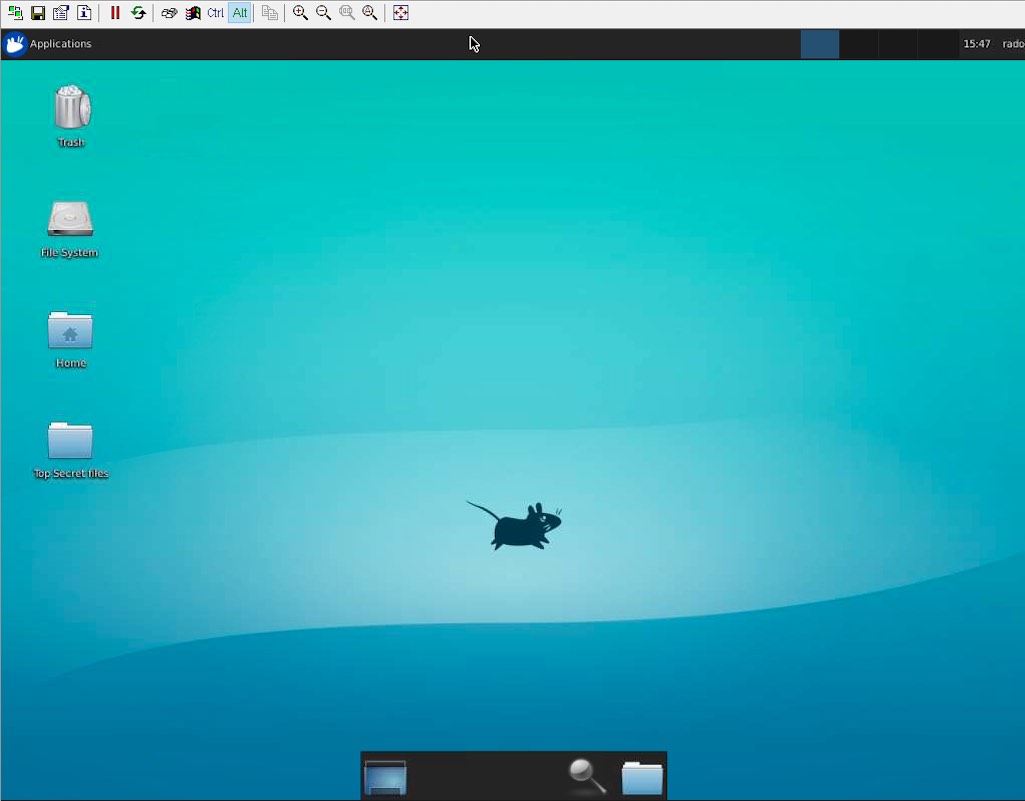
To learn more refer to: how to setup and configure your IoT for remote desktop access over the internet using xrdp
4. Remote Control IoT Devices Connected to Satellite or Cellular Network using a Web App
Installing and running a web application on your IoT is one way to remotely connect and control your IoT using a web client.
For example, you could write a simple python flask web server application to remotely access the files – images, videos from a web camera, configuration files, log files etc.
$ cat get_files.py
from flask import Flask, send_from_directory

app = Flask(__name__)

@app.route('/')
def send_report(path):
    return send_from_directory('/', path)

if __name__ == '__main__':
    app.run(host='127.0.0.1', port=3000, debug=True)
You can use a web browser to access this web server application running in your IoT from a local network. Just point your browser to: http://localhost:3000
But, IoT devices installed behind a NAT router and firewall cannot be access from the internet.
We’ll use SocketXP’s HTTP tunneling to remotely connect to the python flask web server application over the internet.
SocketXP creates a secure public web URL (HTTPS) for the local web app running in your Pi.
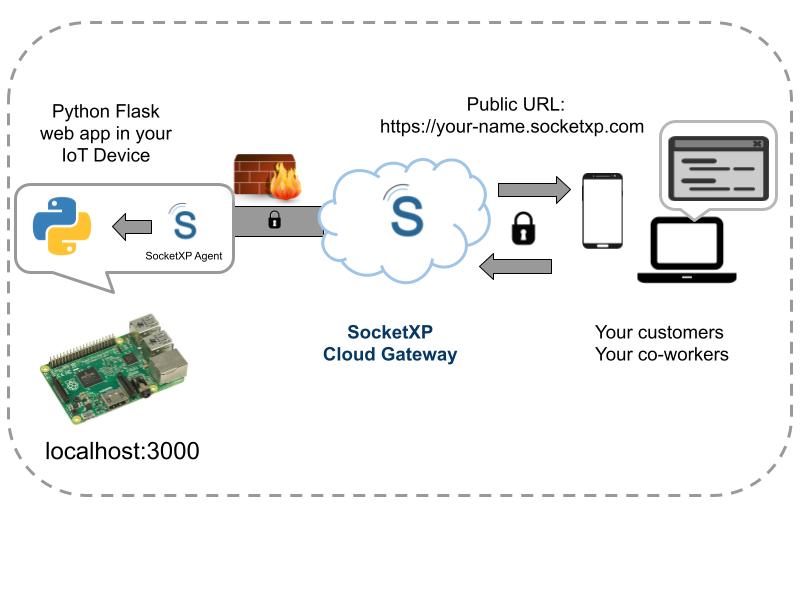
To learn more refer to: how to remote access IoT web app over the internet
5. Send Remote Commands to IoT over the Internet from Outside Network
Remote Command Execution - the ability to send one-off shell commands to your IoT to quickly fetch crucial information or take some corrective action on your remote IoT is immensely important.
It is cumbersome to always having to SSH login to your IoT using your login and password to execute even a simple command or a program.
This becomes even more tedious if you have to execute the same script or command on a fleet of IoT.
SocketXP’s remote command execution capability provides you the ability to remotely execute shell script, command or any python program on a single IoT or on a fleet of IoT over the internet.
To learn more refer to: how to setup and configure your IoT for remote command execution over the internet
Conclusion:
In this article, we discussed the five different options available to remotely access IoT devices, such as: SSH, VNC, RDP, Web App and Remote Command Execution.
We also discussed how SocketXP offers a secure, powerful and convenient way to remotely manage and control your IoT devices connected to the internet via Starlink satellite network, 3G, 4G LTE, or 5G cellular network behind CGNAT.
With its user-friendly interface, advanced features, and unparalleled flexibility, this innovative solution is a must-have tool for IoT enthusiasts.
Take advantage of this cutting-edge solution and unlock the full potential of your IoT devices. Try SocketXP’s IoT Remote Access solution free for 30-days and discover the convenience of managing your IoT projects from a single pane of glass.