
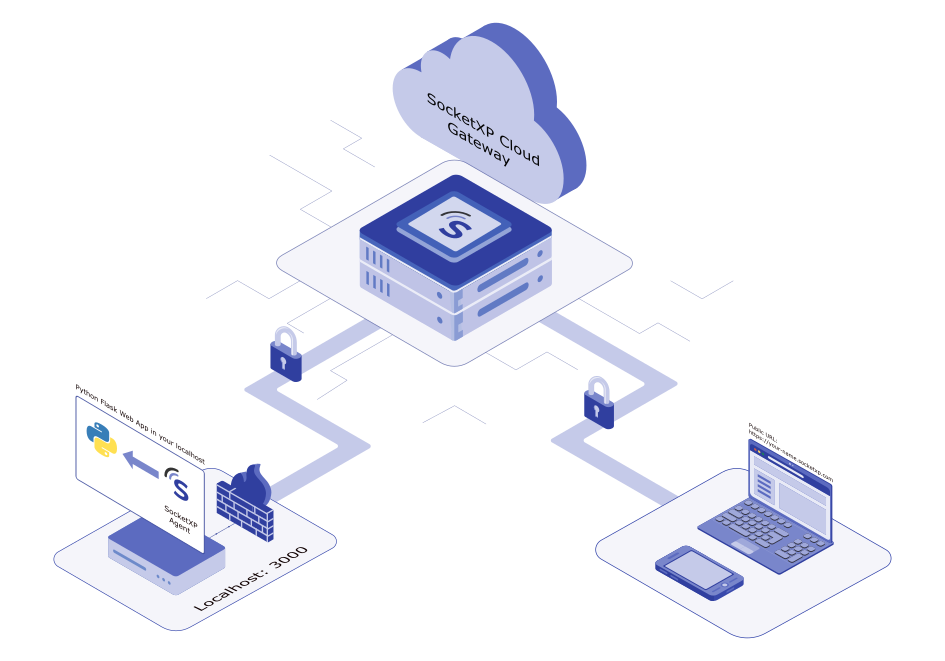
Raspberry Pi is a popular platform for running lightweight web applications — Node-RED dashboards, Python Flask data loggers, Grafana monitoring interfaces, custom IoT control panels, NodeJS apps and API services. These apps are immediately useful on the local network, but making them accessible from the internet hits the same wall that all Raspberry Pi remote access scenarios face: the Pi is behind a NAT router, and there’s no practical way to expose an HTTP port to the public without port forwarding (often impossible with CGNAT) or a static IP (often unavailable or expensive).
Expose your Raspberry Pi web app in 3 steps:
- Start your web app on the Pi (e.g.,
node myapp.json port 3000) - Install SocketXP and run
socketxp connect http://localhost:3000 - SocketXP returns a permanent public HTTPS URL — share it or open it from any browser, anywhere
No port forwarding, no static IP, no reverse proxy configuration, no VPN.
The Core Problem: Pi Web Apps Are Not Internet-Reachable by Default
A web app running on localhost:3000 on your Raspberry Pi is only accessible from devices on the same local network. The Pi has a private IP address (192.168.x.x or 10.x.x.x) that is not routable from the internet. Options like port forwarding require a public IP on your router — which many ISPs don’t provide (CGNAT), and which changes frequently even when available.
SocketXP solves this with a secure HTTP/HTTPS reverse proxy tunnel: the SocketXP agent on the Pi initiates an outbound TLS connection to the SocketXP cloud gateway, which assigns a permanent public HTTPS URL to your app. Requests to that URL are forwarded through the tunnel to your Pi’s local HTTP port — no router changes, no firewall rules, no static IP.
Step 1: Run Your Web Application on the Raspberry Pi
Any HTTP server running locally on the Pi works. Here are two common examples.
NodeJS Web App (Express / http module)
$ cat myapp.js
var http = require('http');
http.createServer(function (req, res) {
  res.writeHead(200, {'Content-Type': 'text/html'});
  res.write("<h2>Hello from Raspberry Pi!</h2>");
  res.end();
}).listen(3000);
$ node myapp.js
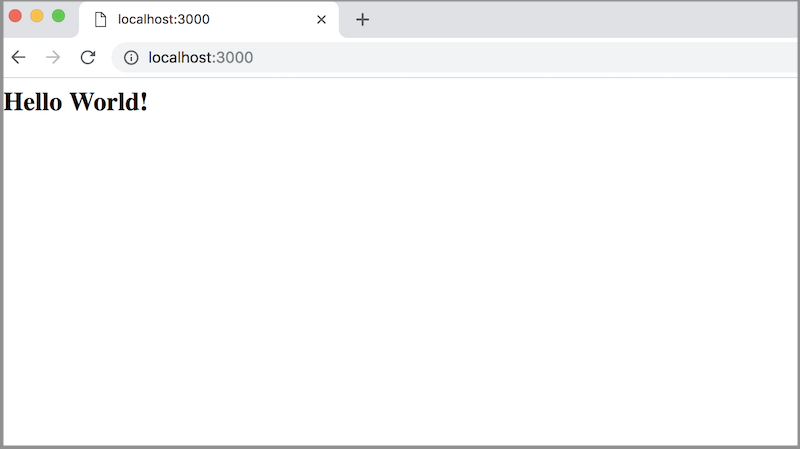
Verify locally: open http://localhost:3000 in a browser on the Pi.
Python Flask Web App
$ cat myapp.py
from flask import Flask
app = Flask(__name__)

@app.route('/')
def hello():
    return '<h2>Hello from Raspberry Pi!</h2>'

if __name__ == '__main__':
    app.run(host='127.0.0.1', port=3000, debug=True)
$ python myapp.py
Step 2: Install the SocketXP Agent on Your Raspberry Pi
Step 2.1: Download and Install
Follow the download and install instructions to install the SocketXP agent on your Raspberry Pi. The agent provides arm (32-bit) and arm64 (64-bit) binaries for all Pi models.
Step 2.2: Get Your Authentication Token
Sign up at the SocketXP Web Portal and retrieve your authentication token.
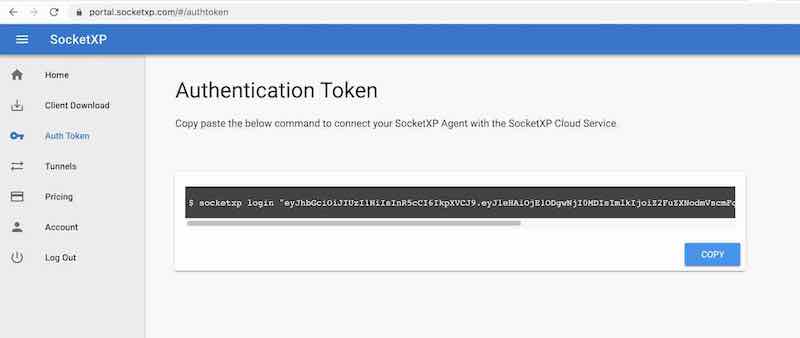
Authenticate the SocketXP agent:
$ socketxp login [your-auth-token-goes-here]
Step 3: Create an HTTPS Tunnel to Your Raspberry Pi Web App
Run the following command to create a secure HTTPS tunnel from SocketXP’s cloud gateway to your web app’s local port:
$ socketxp connect http://localhost:3000

Public URL -> https://679aa48b-1162-44f7-b6c6-59129dd68b58.socketxp.com
SocketXP assigns a permanent public HTTPS URL to your web application. This URL does not change between agent restarts and remains active until you manually remove it from the portal.
Access Your Web App from Any Browser, Anywhere
Open the public URL in any browser on any device — laptop, phone, tablet — from anywhere in the world:
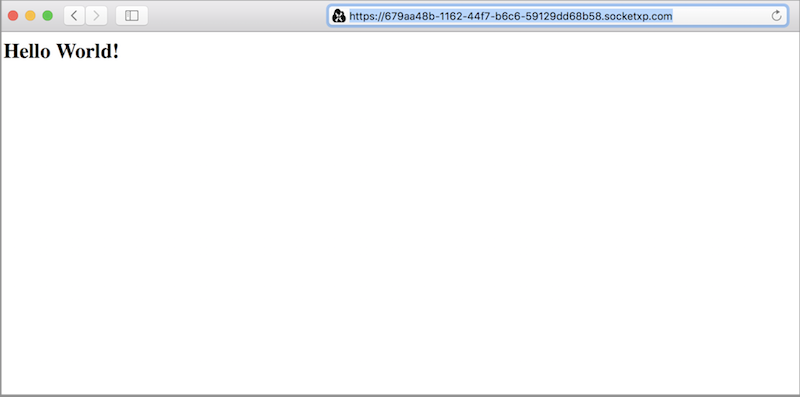
You can share this URL with colleagues, embed it in a mobile app, or use it as a webhook endpoint.
Common Raspberry Pi Web App Use Cases
Node-RED Dashboard Remote Access
Node-RED runs on port 1880 by default. Expose it:
$ socketxp connect http://localhost:1880

Public URL -> https://679aa48b-1162-44f7-b6c6-59129dd68b58.socketxp.com
Access your Node-RED dashboard from any browser worldwide.
Home Assistant Remote Access
Home Assistant typically runs on port 8123:
$ socketxp connect http://localhost:8123

Public URL -> https://679aa48b-1162-44f7-b6c6-59129dd68b58.socketxp.com
Grafana Dashboard Remote Access
Grafana runs on port 3000 by default:
$ socketxp connect http://localhost:3000

Public URL -> https://679aa48b-1162-44f7-b6c6-59129dd68b58.socketxp.com
Remotely Access and Download Files from Raspberry Pi
A Python Flask file server lets you access any file on the Pi remotely via the SocketXP public URL:
$ cat get_files.py
from flask import Flask, send_from_directory

app = Flask(__name__)

@app.route('/<path:path>')
def serve_file(path):
    return send_from_directory('/', path)

if __name__ == '__main__':
    app.run(host='127.0.0.1', port=3000, debug=True)
$ python get_files.py
$ socketxp connect http://localhost:3000
Use curl or a browser to download any file from the Pi:
$ curl https://679aa48b-1162-44f7-b6c6-59129dd68b58.socketxp.com/var/log/syslog
$ curl https://679aa48b-1162-44f7-b6c6-59129dd68b58.socketxp.com/home/pi/data/sensor_readings.csv
This is useful for retrieving logs, sensor data files, captured images, or configuration backups from a remote Raspberry Pi without needing SSH.
Why SocketXP Outperforms ngrok and Tailscale for Raspberry Pi Web App Access
| Criterion | ngrok | Tailscale | SocketXP |
|---|---|---|---|
| Permanent public HTTPS URL | No (changes on restart, free tier) | No | Yes |
| Works behind CGNAT | Yes | Yes | Yes |
| Session time limits | Yes (free tier) | No | No |
| IoT fleet management portal | No | No | Yes |
| Remote OTA updates | No | No | Yes |
| Device monitoring | No | No | Yes |
| Scales to 10,000+ Pi devices | Not designed for IoT | Mesh complexity | Native IoT architecture |
| Access without VPN client | Yes | No | Yes |
ngrok is a development tool — URLs change on every restart unless you pay for a reserved domain, the free tier imposes session limits, and there is no IoT device management. For production Raspberry Pi web app deployments, ngrok is unsuitable.
Tailscale creates a mesh VPN and requires installing the Tailscale client on every device that needs access to the web app. It provides no HTTPS URL, no IoT fleet management, and no OTA update delivery.
SocketXP provides a permanent HTTPS URL for your Raspberry Pi web app, scales to tens of thousands of devices, and is part of a complete IoT Remote Access and Device Management platform — covering SSH, VNC, HTTP, OTA updates, and device monitoring from a single portal.
Security Best Practices
- Restrict access using SocketXP’s RBAC to limit which users can reach your Pi’s web app public URL
- Enable authentication at the application layer — add login/session handling to your Flask or Express app so the public URL is not open to anonymous users
- Use HTTPS only — SocketXP’s public URLs are always HTTPS; never expose sensitive Pi web apps over plain HTTP
- Rotate your SocketXP auth token periodically; revoke tokens for decommissioned Pi devices immediately
- Run SocketXP as a systemd service so the tunnel auto-restarts after reboots and network disruptions
Web App Types Supported on Raspberry Pi
SocketXP’s HTTP tunnel works with any web application framework that serves HTTP on a local port:
- NodeJS: Express, Fastify, Koa, http module
- Python: Flask, FastAPI, Django, Bottle, aiohttp
- Go: net/http, Gin, Echo, Fiber
- Java: Spring Boot, Jetty, Tomcat
- Ruby: Sinatra, Rails
- Dashboards: Node-RED, Grafana, Home Assistant, Jupyter Notebook, Streamlit
- Servers: NGINX, Apache (if running locally on the Pi)
Conclusion
Exposing a web application running on a Raspberry Pi to the internet is a one-command operation with SocketXP: socketxp connect http://localhost:<port>. The agent creates a secure outbound HTTPS tunnel, SocketXP assigns a permanent public URL, and your Pi’s web app is immediately accessible from any browser worldwide — no port forwarding, no static IP, no router configuration.
For production deployments managing web apps across multiple Raspberry Pi devices, SocketXP’s portal provides centralized access control, device health monitoring, and OTA update delivery alongside the HTTP tunneling capability — all from a single lightweight agent on each Pi.
For the complete Raspberry Pi remote access solution — SSH, VNC, headless setup, Windows, Mac, and mobile — see the full SocketXP solution page.
Frequently Asked Questions
How do I access a web app running on my Raspberry Pi from the internet?
Install the SocketXP agent on your Raspberry Pi and run 'socketxp connect http://localhost:
'. SocketXP creates a secure HTTPS tunnel and provides a permanent public URL for your web app, accessible from any browser without port forwarding or a static IP. Does the SocketXP public URL for my Raspberry Pi web app change?
No. The public HTTPS URL assigned to your web app is permanent and does not change between sessions. It stays the same until you manually delete it from the SocketXP portal.
Can I access a Raspberry Pi web app behind CGNAT using SocketXP?
Yes. SocketXP's outbound tunnel architecture works even when your ISP uses carrier-grade NAT (CGNAT). The Raspberry Pi initiates the connection to SocketXP's cloud gateway, bypassing CGNAT and any router-level restrictions.
Which web frameworks work with SocketXP on Raspberry Pi?
Any HTTP-based web framework works — NodeJS (Express, Fastify), Python (Flask, FastAPI, Django), Go (net/http, Gin), Java (Spring Boot, Jetty), Ruby on Rails, and others. SocketXP tunnels HTTP/HTTPS traffic agnostically.
Can I use SocketXP to expose a Raspberry Pi dashboard like Node-RED or Grafana?
Yes. Run 'socketxp connect http://localhost:
' and SocketXP provides a secure public HTTPS URL for your Node-RED dashboard, Grafana interface, Home Assistant, or any other web-based tool running on the Pi.