
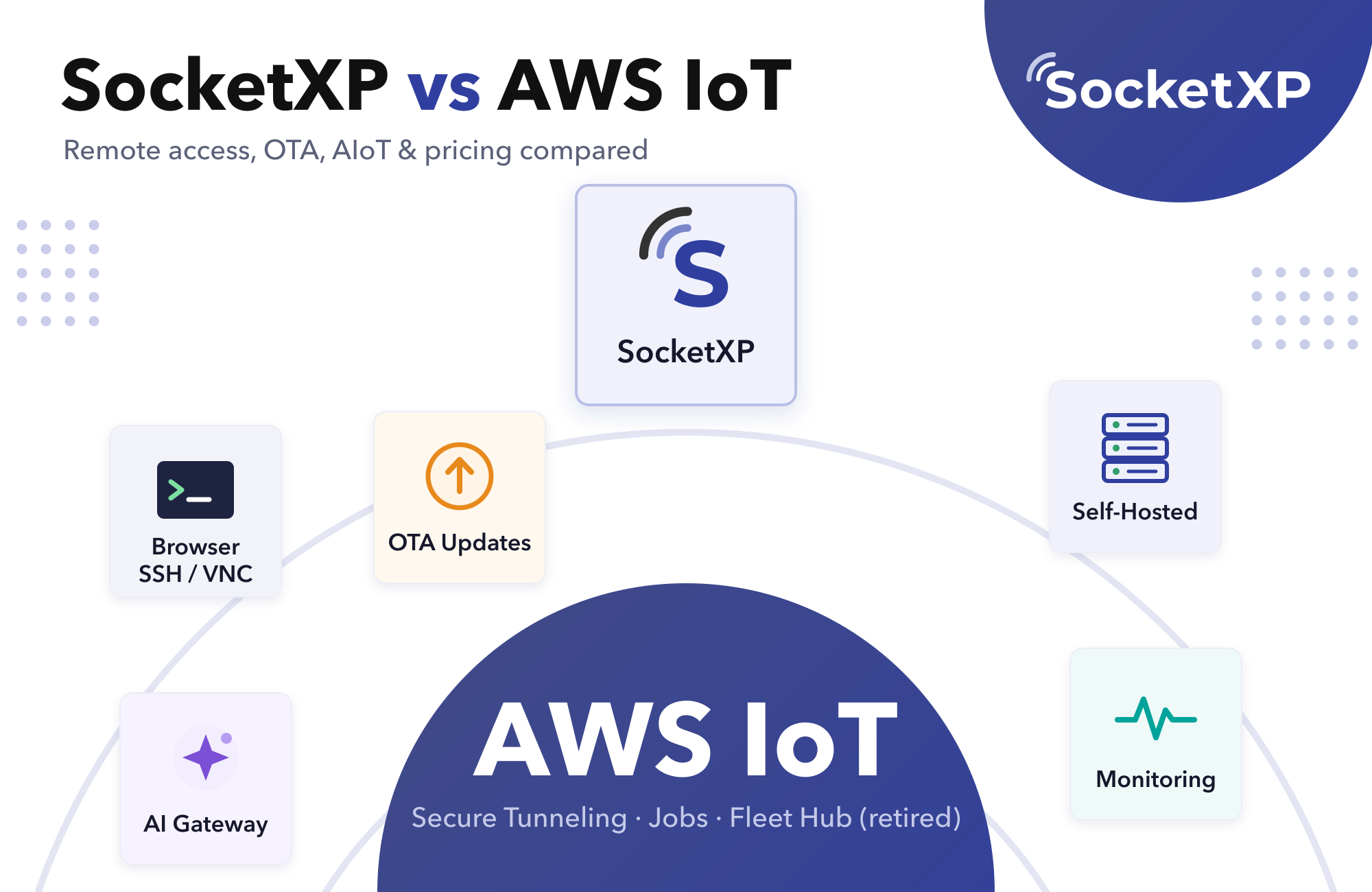
SocketXP vs AWS IoT in one sentence: AWS IoT is a set of cloud IoT services (IoT Core for MQTT messaging, plus AWS IoT Device Management, Secure Tunneling and Greengrass) that you assemble yourself, while SocketXP is a ready-to-use IoT device management and remote access platform for Linux and AIoT devices in the field: remote SSH/VNC/web access, OTA updates, monitoring and fleet management, available as SaaS or self-hosted.
If you’re replacing AWS IoT Secure Tunneling or the retired Fleet Hub, SocketXP is the more direct, lower-effort fit. If your product depends on high-volume MQTT telemetry flowing into AWS data services, keep AWS IoT Core, and consider adding SocketXP alongside it for device management.
Disclosure: SocketXP is our product. AWS facts below are taken from AWS’s own documentation and pricing pages as of November 2026. If you’re still deciding between several platforms, see our list of the best AWS IoT alternatives.
- Remote access: AWS Secure Tunneling bills per tunnel opened, caps each tunnel at 12 hours and offers browser SSH only. SocketXP keeps persistent tunnels with browser SSH, SFTP and VNC and no per-session fees.
- Fleet dashboard: AWS retired Fleet Hub on October 18, 2025. SocketXP’s device portal is built in.
- OTA: AWS Jobs delivers job documents, and you write the update logic. SocketXP has built-in OTA for apps, Debian packages, Docker containers, firmware and AI models.
- AIoT: AWS discontinued SageMaker Edge Manager (April 2024). SocketXP adds AI model OTA and an AI Gateway so edge devices can reach your private LLM.
- Deployment: AWS IoT is cloud-only. SocketXP is SaaS, self-hosted Enterprise, or a free self-hosted Community edition for non-commercial use.
- Messaging: AWS IoT Core is a managed MQTT broker. SocketXP isn’t, so many teams use both.
SocketXP vs AWS IoT: Head-to-Head Comparison
| Capability | AWS IoT | SocketXP |
|---|---|---|
| What it is | Cloud building blocks: IoT Core, Device Management, Secure Tunneling, Greengrass, Device Defender | IoT device management and remote access platform: one agent + one web portal |
| Primary devices | Any (MCU via SDKs, Linux via Device SDK or Greengrass) | Linux devices (Raspberry Pi, Jetson, gateways, edge AI boxes); microcontrollers through a Linux gateway |
| MQTT broker | Yes (IoT Core) | No. Tunnels securely to your own broker |
| Remote SSH | Secure Tunneling: browser SSH or native client via local proxy | Browser SSH terminal, or native clients via IoT slave mode |
| Remote VNC / desktop | Native VNC client via local proxy only | Browser VNC, or native VNC/RDP clients |
| Tunnel lifetime | Up to 12 hours per tunnel | Persistent while the device is online |
| Remote access pricing | Per tunnel opened ($1.00 per tunnel in AWS’s pricing example) | Included in per-device plan, no per-session fees |
| Fleet dashboard | Device Management console (Fleet Hub retired Oct 18, 2025) | Built-in device portal with groups and tags |
| OTA updates | Jobs + your own device-side update code, or Greengrass deployments | Built-in OTA for apps, .deb packages, Docker containers, firmware and AI models |
| Device monitoring | CloudWatch + Device Defender metrics (configured separately) | Built-in device monitoring and alerts |
| Device identity | X.509 certificate per device + IAM-style IoT policies | Auth token login, built-in PKI CA and mTLS certificates |
| Access control | IAM users, roles and policies | Portal users, RBAC, short-lived tokens, audit logs |
| AIoT / edge AI | Greengrass ML components; SageMaker Edge Manager discontinued Apr 2024 | AI model OTA, remote Jupyter/inference access, AI Gateway to private LLMs |
| Self-hosted | No | Yes: Enterprise, plus free Community for non-commercial use |
| Pricing model | Usage-based across several services | Flat per-device plans from $20/month for 40 devices |
| Time to first device | Hours to days (IAM, certificates, policies, SDK) | Minutes (install agent, log in) |
How Each Platform Works
AWS IoT: each device is registered as a thing, gets its own X.509 certificate and an IoT policy, and connects to AWS IoT Core over MQTT using the AWS IoT Device SDK or AWS IoT Device Client. Everything else (remote access, jobs, fleet indexing, dashboards, ML at the edge) is a separate AWS service that you enable, configure and pay for individually, usually wired together with IAM, Lambda and CloudWatch.
SocketXP: you install one lightweight agent on the device and run sudo socketxp login <auth-token>. The agent opens an outbound-only TLS tunnel to the SocketXP gateway, and the device appears in the portal. Remote access, OTA, monitoring and fleet grouping all use that same connection and the same portal. No inbound ports, public IP or VPN are needed, so it works behind NAT, CGNAT, 4G/5G and Starlink.
Remote Access: AWS IoT Secure Tunneling vs SocketXP
This is where most teams feel the difference day to day.
AWS IoT Secure Tunneling:
- You open a tunnel per session from the console, API or CLI. AWS sends the device a notification, and the AWS IoT Device Client (or your own code) starts the destination-side proxy.
- Browser-based SSH has been available in the AWS IoT console since November 2022.
- For anything other than browser SSH, such as SFTP, VNC or a web UI, you run AWS’s local proxy on your laptop with a tunnel access token.
- Each tunnel lasts up to 12 hours, and each tunnel opened is billed.
- There’s no browser-based VNC or remote desktop.
SocketXP:
- Each device keeps a persistent outbound tunnel, so there’s nothing to open per session.
- One click in the portal opens a browser SSH terminal, SFTP, or a VNC desktop.
- For native tools (OpenSSH, VS Code Remote, RealVNC, RDP, database clients), IoT slave mode gives you a private local port on your laptop. Nothing is exposed publicly.
- No per-session or per-tunnel fees. Remote access is part of the per-device plan.
Fleet Management: Fleet Hub Is Gone
AWS ended Fleet Hub on October 18, 2025. It had stopped accepting new customers in October 2024. AWS now points customers to the AWS IoT Device Management console, where fleet indexing, fleet metrics and jobs live, but there’s no longer a ready-made, operator-friendly fleet web app.
SocketXP’s portal is that app: devices listed with online/offline status, groups and tags, device details, one-click remote access, OTA deployments, monitoring and team access control in one place.
OTA Updates
AWS IoT Jobs sends a job document to targeted devices and tracks each device’s status. The actual update (downloading the artifact, installing it, rolling back on failure) is code you write on the device, or you adopt AWS IoT Greengrass and package your software as Greengrass components.
SocketXP OTA updates come with ready-made workflows for application binaries, Debian packages, Docker containers, firmware and AI model files. They support custom workflow scripts and per-device deployment status, so most teams don’t write update plumbing themselves.
Security and Identity
Both platforms encrypt device traffic with TLS and authenticate devices with credentials.
- AWS IoT uses an X.509 certificate per device plus IoT policies, with fleet provisioning templates for scale. It’s powerful, but it’s a lot of IAM and PKI work to get right.
- SocketXP registers devices with a login token, never exposes device ports, and includes a built-in PKI CA and mTLS certificates, SSH key management, short-lived auth tokens, RBAC and audit logs.
AIoT and Edge AI
- AWS: runs ML inference at the edge through Greengrass components. SageMaker Edge Manager, AWS’s service for packaging and managing models on edge devices, was discontinued on April 26, 2024.
- SocketXP: offers AIoT remote access to NVIDIA Jetson, Raspberry Pi with AI HAT+ or Coral, and GPU servers. That includes remote Jupyter, TensorBoard and inference APIs, plus OTA deployment of AI model files (PyTorch, ONNX, TensorFlow Lite, GGUF) with staged rollouts.
- SocketXP AI Gateway: the SocketXP AI Gateway gives your edge devices and apps one OpenAI-compatible endpoint for OpenAI, Anthropic, Google and your own self-hosted LLM server (Ollama, vLLM, LM Studio). That server connects through an outbound tunnel, so it never needs a public IP.
Deployment: Cloud-Only vs Self-Hosted
AWS IoT runs only in AWS regions. SocketXP gives you three options:
- SocketXP Cloud (SaaS): US and EU regions, 30-day free trial with no credit card.
- Self-hosted Enterprise: run the SocketXP Gateway in your own data centre or any private or public cloud, for data residency and air-gapped use cases. Installs from RPM, DEB or Docker Compose, with active-standby high availability. 30-day free trial licence (self-hosting guide).
- Self-hosted Community edition: free for non-commercial use: up to 100 devices, device management, browser-based SSH/VNC/SFTP, 2 team members and community forum support.
Pricing: A Worked Example for 200 Devices
The scenario: 200 Linux devices that are online all the time. Each sends one small (≤5 KB) message per minute. Support engineers open 4 remote sessions per device per month.
AWS IoT (US East list prices; check the AWS pricing calculator for your case):
| Item | Calculation | Monthly cost |
|---|---|---|
| Secure Tunneling | 800 tunnels × $1.00 (AWS’s pricing example rate) | ~$800 |
| IoT Core connectivity | 200 devices × ~43,800 min = 8.76M min × $0.08 per million | ~$0.70 |
| IoT Core messaging | 8.76M messages × $1.00 per million | ~$8.76 |
| Jobs, fleet indexing, CloudWatch | Billed separately, depends on usage | Extra |
| Total | ~$810 + extras |
SocketXP (list prices from the pricing page):
| Plan | What’s included | 200 devices per month |
|---|---|---|
| Lite | Browser SSH/SFTP, browser VNC, device management | $20 + 160 × $0.50 = $100 |
| Eco | Lite + native SSH tools, RDP/VNC clients, any TCP service | $39 + 160 × $0.99 = $197.40 |
| Pro | Eco + HTTP access, device monitoring, API access, OTA updates | $79 + 160 × $1.99 = $397.40 |
What this shows: for fleets that support teams access regularly, per-tunnel billing dominates AWS costs, and SocketXP’s flat pricing is far cheaper and predictable. To be fair the other way: if you open only a handful of tunnels a month and mostly use AWS IoT Core for messaging, AWS’s bill can be lower. In that case, the case for SocketXP rests on features (browser VNC, built-in OTA, monitoring, self-hosting) rather than cost.
Setup: Getting the First Device Reachable
AWS IoT (Secure Tunneling):
- Create an IoT thing, generate an X.509 certificate and attach an IoT policy.
- Copy the certificate, private key and Amazon root CA onto the device.
- Install and configure the AWS IoT Device Client with the tunneling feature enabled.
- Open a tunnel from the console, API or CLI, and wait for the device to start its destination proxy.
- Use browser SSH in the console, or run AWS’s local proxy on your laptop with the source access token.
SocketXP:
- Install the agent (download) and run
sudo socketxp login <auth-token>. - Click SSH or VNC next to the device in the portal, or use IoT slave mode for native tools.
Using SocketXP and AWS IoT Together
You don’t have to rip out AWS IoT. A common architecture is:
- AWS IoT Core carries MQTT telemetry into Kinesis, Timestream, S3 or your analytics stack.
- SocketXP handles device management: browser SSH/VNC for support teams, OTA updates, health monitoring and fleet management.
Both agents run side by side on the same device, each with its own outbound connection. You stop paying per-tunnel fees and stop maintaining custom OTA and dashboard code, without touching your data pipeline.
Which Should You Choose?
Choose AWS IoT if:
- High-volume MQTT telemetry into AWS data and ML services is the core of your product.
- Your organization is standardized on AWS, and you have a platform team to own IAM, certificates and Lambda workflows.
- You rarely need interactive access to devices.
Choose SocketXP if:
- Your main pain is reaching, updating and monitoring Linux or AIoT devices in the field.
- You’re replacing Secure Tunneling or Fleet Hub, or you need browser-based VNC.
- You want predictable per-device pricing instead of per-tunnel and per-message billing.
- You need to self-host for data residency or air-gapped sites.
- Your edge devices need secure access to a private LLM.
Choose both if you want to keep AWS IoT Core for telemetry and get complete device management and remote access without building it yourself.
Migrating from AWS Secure Tunneling or Fleet Hub
- Install the SocketXP agent on a pilot group alongside the existing AWS IoT Device Client. No firewall changes are needed.
- Move support workflows from Secure Tunneling to SocketXP browser SSH/VNC.
- Recreate Jobs-based updates as SocketXP OTA deployments, and set up monitoring alerts.
- Add the agent to your device image for new devices, and use mass installation for the existing fleet.
- Disable Secure Tunneling, and remove Device Management resources you no longer need.
For a broader look at the market, including Azure IoT Hub, Balena, ThingsBoard and MQTT brokers, see AWS IoT alternatives.
See the Difference on Your Own Devices
Browser SSH/VNC, OTA updates and monitoring for Linux and AIoT fleets, as SaaS or self-hosted. 30-day free trial, no credit card required.
Frequently Asked Questions
What is the difference between SocketXP and AWS IoT?
AWS IoT is a set of cloud building blocks (IoT Core for MQTT messaging, Device Management, Secure Tunneling, Greengrass) that you assemble with IAM, certificates and other AWS services. SocketXP is a ready-to-use IoT device management and remote access platform for Linux and AIoT devices: one agent and one portal for remote SSH/VNC/web access, OTA updates, monitoring and fleet management. SocketXP can also be self-hosted, while AWS IoT is cloud-only.
Is SocketXP cheaper than AWS IoT?
For fleets that are accessed remotely often, usually yes. AWS IoT Secure Tunneling is billed per tunnel opened (AWS's pricing example uses $1.00 per tunnel), so 200 devices with 4 remote sessions each per month cost about $800 in tunnel fees alone. SocketXP plans are flat per device with no per-session fees; 200 devices cost $100 to $200 a month on the Lite or Eco plans. If you almost never open remote sessions and mainly use AWS IoT Core for telemetry, AWS can cost less.
Does AWS IoT support browser-based SSH?
Yes. Since November 2022, the AWS IoT console lets you open an SSH terminal in the browser over a Secure Tunneling tunnel. It's SSH only: there's no browser-based VNC or remote desktop, each tunnel lasts at most 12 hours, and each tunnel opened is billed. SocketXP offers browser-based SSH, SFTP and VNC with persistent tunnels and no per-session fees.
What replaces AWS IoT Fleet Hub?
AWS ended Fleet Hub on October 18, 2025 and points customers to the AWS IoT Device Management console. If you want a ready-made fleet dashboard with remote access, monitoring and OTA built in, SocketXP's web portal covers what Fleet Hub did and adds browser-based SSH/VNC and OTA updates.
Can I use SocketXP and AWS IoT Core together?
Yes. A common setup keeps AWS IoT Core as the MQTT telemetry pipeline into AWS data services and uses SocketXP for device management: remote access, OTA, monitoring and fleet management. The SocketXP agent runs alongside the AWS IoT Device SDK or AWS IoT Device Client on the same device.
Can SocketXP be self-hosted? Can AWS IoT?
SocketXP can. Its Enterprise edition runs on-premises or in any private or public cloud for data residency and air-gapped use cases, with a 30-day free trial, and a free Community edition is available for non-commercial use with up to 100 devices. AWS IoT is a managed AWS cloud service and cannot be self-hosted.
Is SocketXP an MQTT broker like AWS IoT Core?
No. SocketXP is a remote access and device management platform. It can securely tunnel to an MQTT broker running on your device or network, but it doesn't replace AWS IoT Core's managed MQTT broker and rules engine. Teams that need that keep AWS IoT Core or use a broker such as EMQX or HiveMQ.
How do AWS IoT and SocketXP compare for AIoT and edge AI devices?
AWS offers Greengrass components for running ML inference at the edge, but discontinued SageMaker Edge Manager, its edge model management service, in April 2024. SocketXP provides remote access to AI edge devices like NVIDIA Jetson and Raspberry Pi with AI HAT+, OTA deployment of AI model files, and the SocketXP AI Gateway, which lets edge devices securely call your private self-hosted LLM (Ollama, vLLM) as well as OpenAI, Anthropic and Google.